
Version 1.102.0
Released 12.17.2025
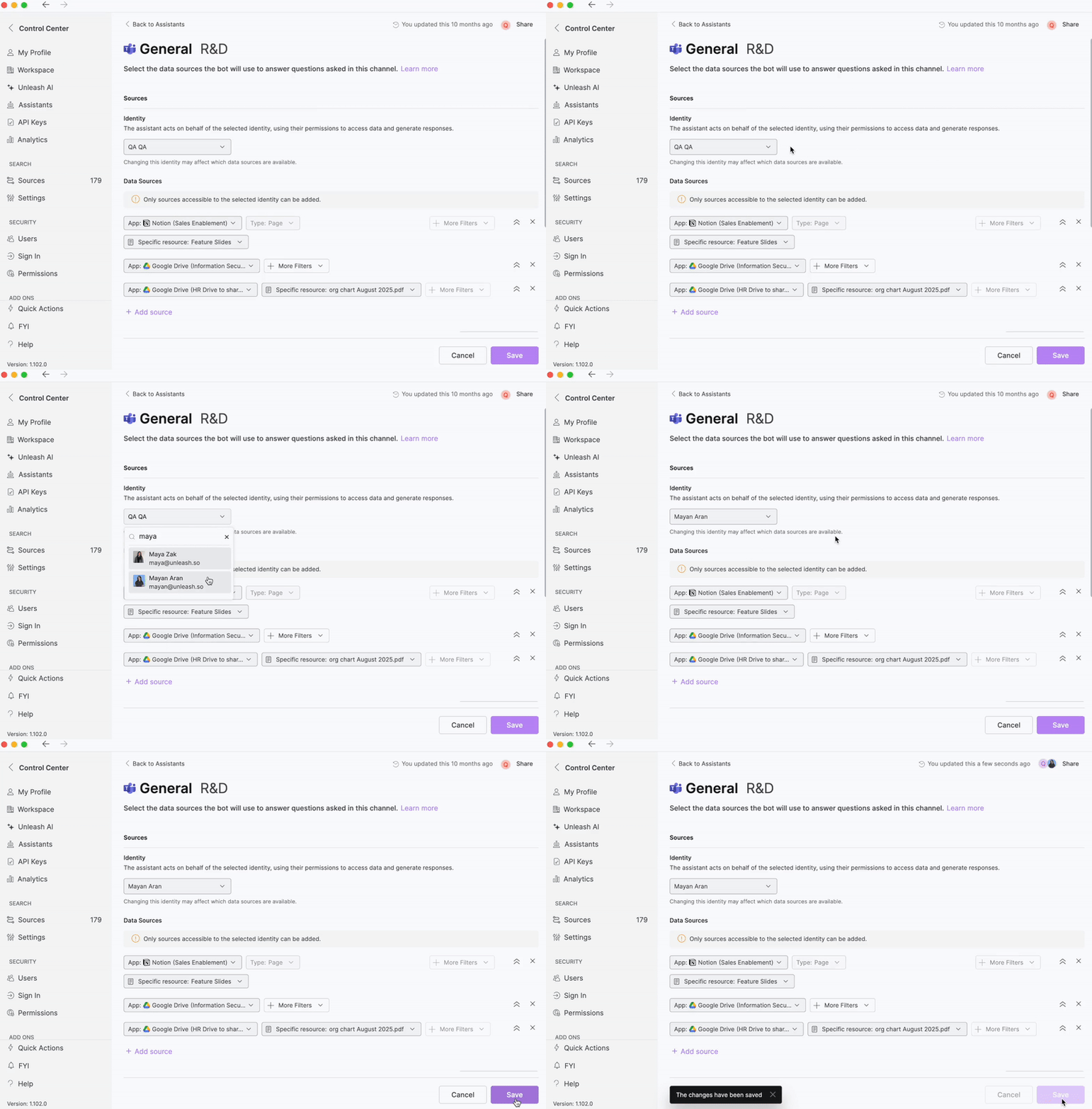
🧑🏽💻 Assistants Identity
We have added the identity field to General, Next Gen, Teams, Zendesk, Salesforce and RFP Assistants (this feature is already live in the Slack Assistant). By default, the assistant’s identity is set to the user who created it. The assistant operates under that identity’s data access permissions. If the identity is changed, the assistant’s connected data sources and permissions will update to match those of the new identity. The assistant can access only the data sources that the chosen identity is authorized to use. As a result, switching the identity may change which data sources are available. Users with full access to the assistant, as well as admins, can edit the assistant’s connected data sources. However, the data sources that can be added or configured are determined entirely by the assistant’s selected identity, not the person making the edits. When someone interacts with the assistant, the responses it provides are based on the data-source permissions of the person asking the question.
🔄 Support for Model Swapping in Next-Gen Assistant
Users can now switch models at any time when creating or editing a next-gen assistant. Switching within the same provider (e.g., GPT-5 → GPT-4.1) will not affect the assistant’s configuration. Switching between different providers (e.g., GPT ↔ Gemini or GPT ↔ Claude) will trigger file compatibility checks, and the files will be deleted from the assistant. Learn more here.
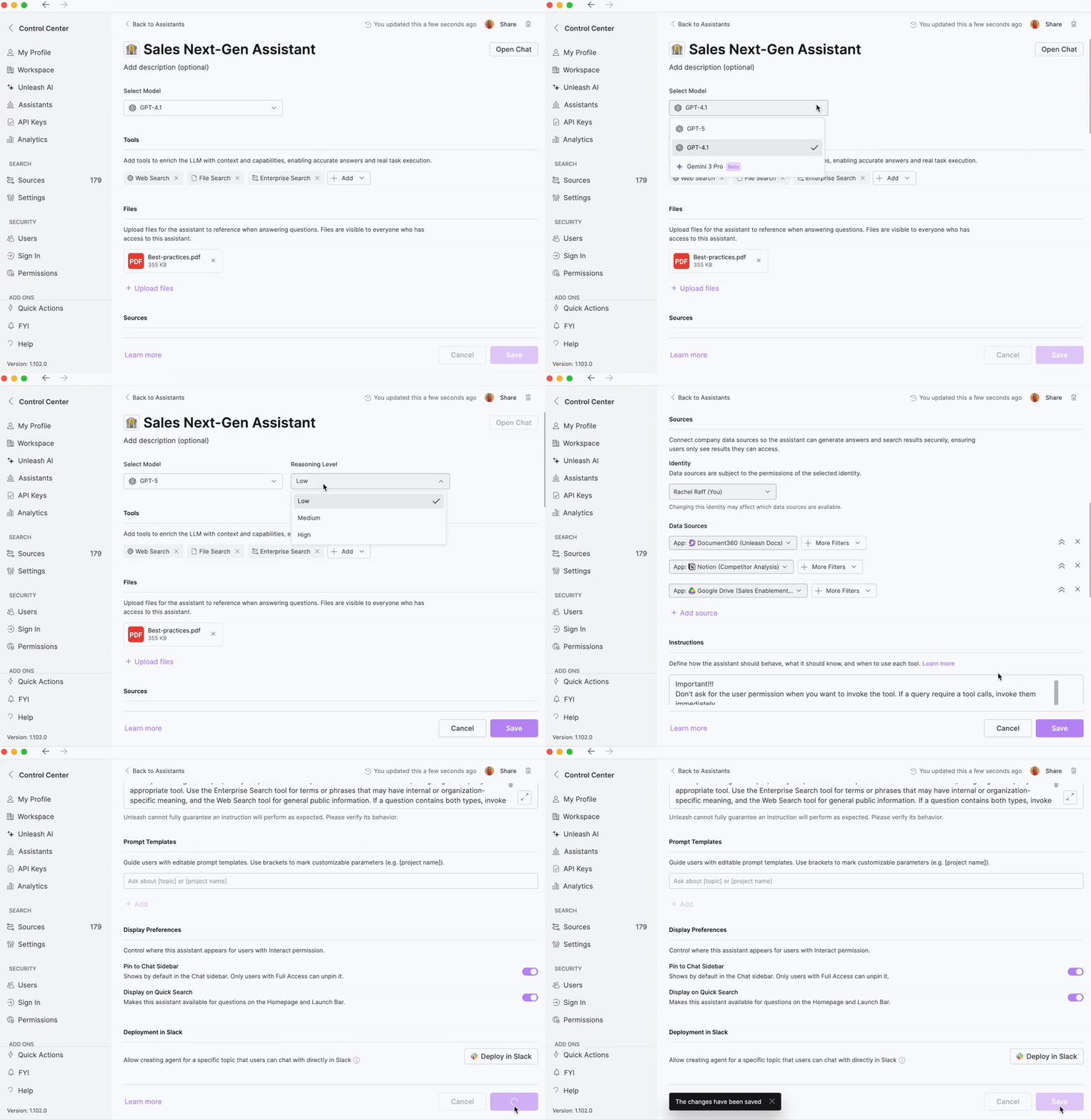
✨ Support for Gemini 3
The Next-Gen Assistant and General Assistants now support Gemini 3 as a selectable model option. Both high and low reasoning levels are available, with high set as the default. You can view the supported files for file search here. Please note: this feature is still in beta and may not behave as expected.
🤖 Next-Gen Assistants Deployable as Slack AI Agents
You can now deploy Next-Gen Assistants as Slack AI Agents using the same process as deploying General Assistants. Follow this guide to get started.
🔗 Updates to Sources Syncing
Now, once a source becomes active, you immediately gain full functionality, including cross-source search and AI-powered question answering. Previously, you had to wait for updates from your Unleash representative before AI functionality became available on your connected sources.
🌀 Updates to Slack Source Syncing
When syncing a Slack channel as a source, messages from the Unleash bot are no longer included. This update ensures greater transparency by guaranteeing that all answers are generated solely from your company’s own knowledge.