Version 1.103.0
Released 01.11.2026
💡 What's new?
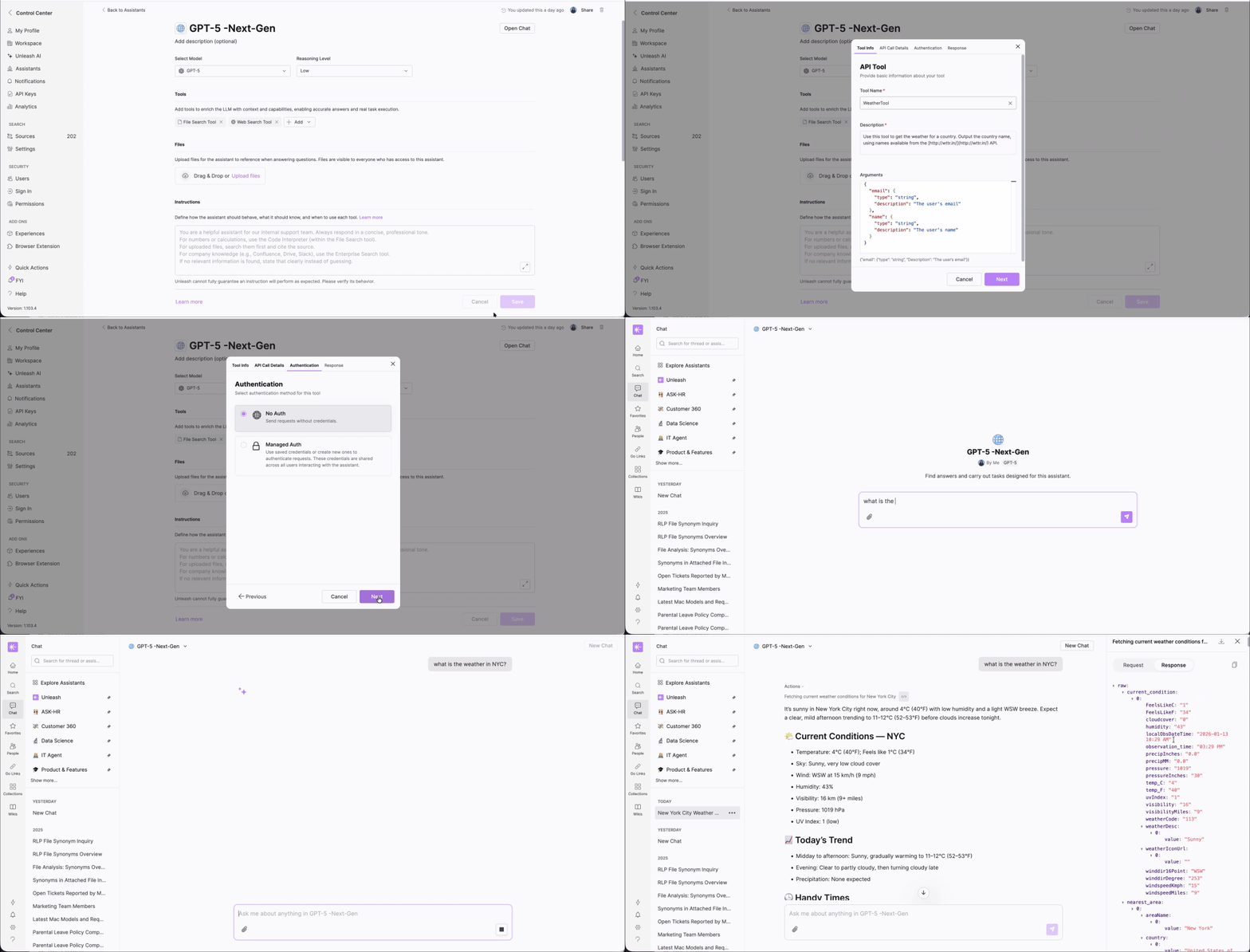
🛠️ API Custom Tools for Next Gen Assistant
Next Gen Assistant now supports creating custom tools powered by API calls. These tools enable assistants to perform tasks, access up-to-date information, and interact with external services, all through configurable API requests.
This feature is available upon request. Please contact your Unleash representative.
🐛 Debug Mode
The Debug Mode allows Full-Access users to inspect custom tool request and response data directly within a Next-Gen assistant chat. It provides clear visibility into how custom tools are triggered and what data flows between the LLM and each tool endpoint, improving transparency, traceability, and debugging efficiency.
By clicking the debug icon (</>) next to a custom tool call in the Actions panel, a drawer will open showing the full request and response payloads for API tools. You can easily copy or download the JSON for either the request or the response.
Note: Debug Mode is currently available only in the web and desktop apps (not in the browser extension).
🔔 Source Status Change Notifications
Workspace admins and source owners are now proactively notified when a source’s status changes to Sync Failed or Expired Credentials. This helps ensure users are aware when data may be outdated and can take immediate action, such as reconnecting the source.
Admins can also configure which events trigger notifications to reduce noise.
Notifications are supported via: Email, Slack, and Microsoft Teams.
(2).gif)
✨ Support for Sonnet 4.5
The Next-Gen Assistant now supports Sonnet 4.5 as a selectable model option. Note: this model doesn’t support the File Search tool.
🧩 Integration with Airtable
You can now connect Airtable as a source to sync your team’s project data. Once connected, you can search and ask questions across Airtable records.